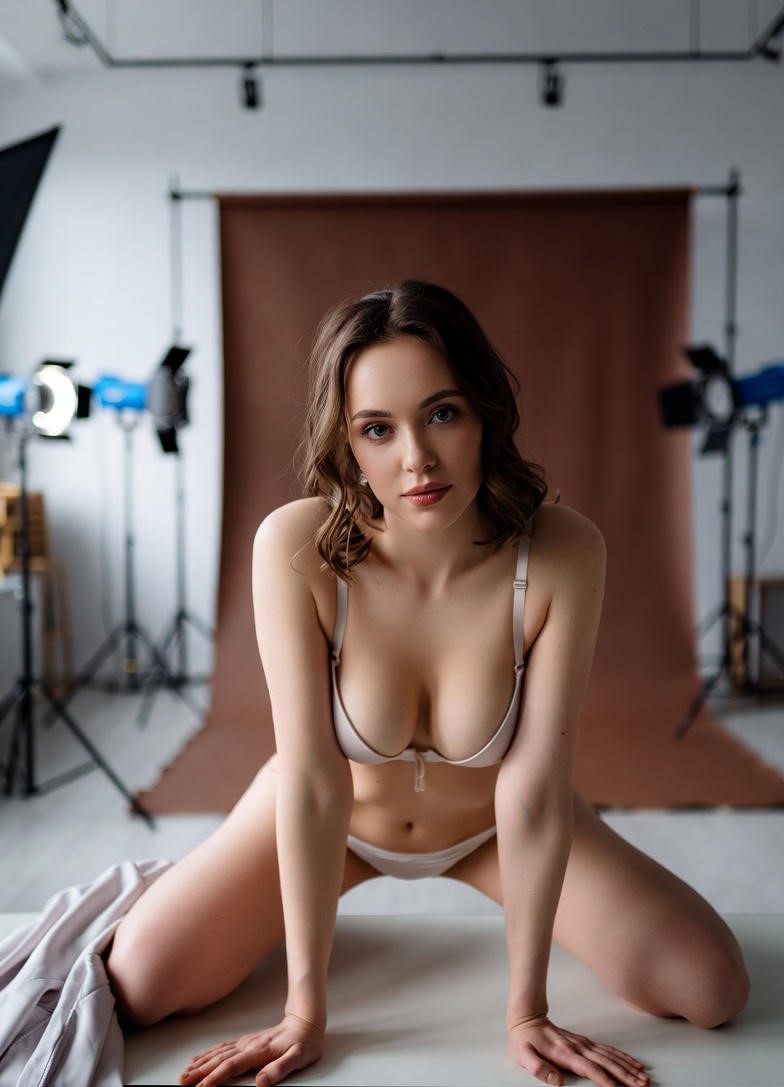
How AI Transforms Photos into Stunning Videos
In an era where visual content dominates digital communication, the demand for high-quality, engaging videos has never been greater. Whether you’re a content creator, marketer, educator, or artist, the ability to transform static photos into dynamic, photorealistic videos opens up endless creative possibilities. With advancements in AI-generated visuals, synthetic media tools, and deep learning video tools, turning a single image into a compelling video is no longer a futuristic concept—it’s a reality you can explore today.
This guide will walk you through how to leverage cutting-edge AI-powered video creation technology to convert your photos into stunning videos with minimal effort. From photorealistic animations to automated video editing, we’ll cover everything you need to know to bring your ideas to life without the traditional constraints of video production.
Why Convert Photos to Videos with AI?
The Power of AI in Video Creation
The integration of AI video synthesis and neural rendering engines has democratized video production. Here’s why this technology is a game-changer:
- Speed and Efficiency: Traditional video production can be time-consuming, requiring scriptwriting, filming, editing, and post-production. With AI content synthesis platforms, you can generate videos in minutes from a single photo.
- Cost Savings: Eliminate the need for expensive equipment, studio rentals, or professional actors. AI-generated deepfakes and synthetic human video creation tools allow you to produce high-quality content with minimal investment.
- Creative Freedom: Experiment with photorealistic AI video tools to create scenarios, scenarios, or even entirely new worlds. Whether you’re a marketer looking to showcase products or an artist exploring digital storytelling, the possibilities are limitless.
- Accessibility: No prior video editing experience is required. AI-assisted video editing and automated video rendering handle the technical complexities, making video creation accessible to everyone.
- Scalability: Generate multiple variations of videos from a single photo, tailoring content for different audiences, platforms, or purposes without additional effort.
How AI Transforms Photos into Videos
The process of converting a photo to a video using AI involves several sophisticated techniques that work together to create lifelike motion and depth. Here’s a breakdown of the key components:
Image Analysis and Understanding
Before any animation can begin, the AI must analyze the input photo to understand its elements. This includes:
- Face and Body Detection: For synthetic human video generation, AI models identify facial features, expressions, and body language to create realistic movements.
- Scene Context Recognition: The AI interprets the background, lighting, and objects in the photo to ensure the generated video fits seamlessly into the scene.
- Style and Texture Mapping: Using neural texture mapping, the AI enhances the photo’s details, ensuring the video maintains a high level of realism.
Motion and Animation Synthesis
Once the photo is analyzed, the AI generates motion by:
- Creating Dynamic Frames: The AI synthesizes multiple frames from the static image, adding subtle movements such as blinking eyes, breathing, or subtle shifts in posture for photorealistic animations.
- Lip-Syncing and Voice Integration: For videos with dialogue, the AI can sync lip movements with audio, making the output feel incredibly natural.
- Environmental Interaction: The AI can simulate interactions between the subject and the environment, such as waving, pointing, or reacting to objects in the scene.
Realism Enhancement
To ensure the video appears lifelike, the AI employs:
- Lighting and Shadow Simulation: The AI adjusts lighting and shadows dynamically to match the scene’s context, enhancing the video’s realism.
- Background Integration: For video from image conversion, the AI ensures the subject blends naturally with the background, avoiding any unnatural transitions.
- Posture and Movement Smoothing: AI algorithms refine movements to appear fluid and natural, eliminating any robotic or jerky motions.
Post-Processing and Optimization
The final touches involve:
- AI Video Upscaling: Enhances the resolution and clarity of the video, making it suitable for high-definition viewing.
- Color Grading and Tone Adjustment: The AI applies professional color grading to ensure the video has a polished and cohesive look.
- Export Optimization: The video is optimized for different platforms, whether it’s social media, websites, or presentations.
Applications of AI Photo-to-Video Conversion
The versatility of AI-generated visuals makes this technology applicable across various industries and use cases; Here’s how you can leverage it:
Marketing and Advertising
Brands can create engaging product demos, promotional videos, and storytelling content without the need for expensive shoots. For example:
- Showcase products in action by animating them in realistic scenarios.
- Generate testimonial videos with synthetic human avatars that appear authentic.
- Create dynamic social media ads that stand out with AI-generated deepfake-like effects.
Education and Training
Educators can bring textbooks to life by converting illustrations or diagrams into animated videos. For instance:
- Explain complex concepts with photorealistic AI animations that visualize processes like cell division or historical events.
- Create interactive training modules where synthetic characters guide learners through scenarios.
- Generate personalized learning videos tailored to individual student needs.
Entertainment and Film
Filmmakers and content creators can explore new storytelling techniques, such as:
- Generating cinematic trailers or behind-the-scenes content from still images.
- Creating concept art animations to pitch ideas before full production.
- Experimenting with AI-generated cinematic effects to enhance visual narratives.
Social Media and Influencer Content
Influencers and content creators can:
- Turn selfies or product photos into engaging Reels or TikTok videos.
- Generate viral-worthy content with dynamic video generation tools that keep audiences hooked.
- Create personalized content for followers without the hassle of traditional filming.
Real Estate and Tourism
Agents and tourism promoters can:
- Showcase properties or landmarks with AI-generated deepfake videos that highlight features in motion.
- Create virtual tours that feel immersive and dynamic.
- Generate promotional content that stands out in competitive markets.
Ethical Considerations and Best Practices
While the capabilities of AI-generated deepfakes and synthetic media tools are impressive, it’s essential to approach their use responsibly. Here are some ethical guidelines to keep in mind:
Transparency and Disclosure
If you’re using AI-generated deepfake videos for public consumption, it’s crucial to:
- Clearly disclose that the content is AI-generated, especially if it involves synthetic humans.
- Avoid misleading audiences by presenting AI-generated content as real without proper context.
- Follow platform-specific guidelines for AI-generated content to maintain trust and credibility.
Respect for Privacy and Consent
When using photos of real people:
- Ensure you have the right to use the images, especially if they involve individuals’ likenesses.
- Avoid creating content that could harm or misrepresent individuals without their consent.
- Be mindful of cultural and societal norms when generating content involving diverse groups.
Avoiding Misuse and Harm
While AI video upscaling and photorealistic AI video tools can be powerful, they should not be used to:
- Spread false information or deepfake video detection evasion tactics.
- Create content that promotes harm, discrimination, or illegal activities.
- Manipulate public opinion or influence elections through deceptive means.
Staying Informed About Regulations
As synthetic media ethics continues to evolve, stay updated on:
- Regulations around AI-generated deepfake videos and their legal implications.
- Industry standards for ethical AI use in media creation.
- Platform policies that govern the use of AI-generated content.
Getting Started with AI Photo-to-Video Tools
Ready to explore the world of AI-powered visual content creation? Here’s how you can start generating stunning videos from your photos:
Step 1: Choose the Right Tool
Select a platform that offers robust AI video synthesis engines and photorealistic AI video tools. Look for features like:
- User-Friendly Interface: Intuitive tools that make the process accessible to beginners.
- Customization Options: Adjustable settings for motion, lighting, and effects to tailor the output to your needs;
- High-Quality Output: Ensure the tool delivers photorealistic AI animations that meet your standards.
- Integration Capabilities: Compatibility with other tools like video editors or social media platforms.
Step 2: Upload Your Photo
Start by uploading the photo you want to convert. Most AI content synthesis platforms allow you to:
- Upload from your device or cloud storage.
- Choose high-resolution images for the best results.
- Select specific areas of the photo to focus on for animation.
Step 3: Define Your Prompt
Provide clear instructions to guide the AI in generating the video. Your prompt could include:
- The desired motion or action (e.g., “a character waving in a park”).
- Environmental details (e.g., “sunny day with trees in the background”).
- Style preferences (e.g., “cinematic lighting” or “cartoonish animation”).
- Duration and pacing (e.g., “15-second loop” or “fast-paced action”).
Step 4: Generate and Refine
Once the AI processes your request, you’ll receive a preliminary video; Refine it by:
- Adjusting the animation intensity or speed.
- Modifying lighting, shadows, or colors.
- Adding text, captions, or sound effects.
- Exporting in your desired format (e.g., MP4, GIF, or social media-ready clips).
Step 5: Share and Iterate
Share your creation and gather feedback. Many AI video generation platforms allow you to:
- Save multiple versions for comparison.
- Iterate on designs based on audience response.
- Experiment with new ideas using the same tool.
Exploring Advanced Features
For those looking to push the boundaries of AI-driven visual content creation, advanced features can take your videos to the next level. Here’s what you can explore:
Lip-Syncing and Voice Integration
Use AI-generated deepfake alternatives to sync lip movements with audio, making your videos feel incredibly natural. This is particularly useful for:
- Educational videos where a narrator explains concepts.
- Promotional videos with a synthetic spokesperson.
- Entertainment content like animated talk shows or interviews.
Dynamic Backgrounds and Scenes
Leverage AI video upscaling algorithms to create dynamic backgrounds that react to the subject. For example:
- A character walking through a virtual city that changes with their movements.
- Objects in the background that respond to the subject’s actions (e.g., a door opening when approached).
- Weather effects like rain or snow that enhance the scene’s realism.
Multi-Person Animations
Generate videos with multiple synthetic characters interacting realistically. This is ideal for:
- Group interviews or panel discussions.
- Storytelling scenes with multiple protagonists.
- Product demonstrations involving multiple users.
Style Transfer and Artistic Effects
Apply artistic filters or styles to your videos using neural-style video transfer. For instance:
- Convert your video into a painting or sketch style.
- Add a vintage filter for a retro feel.
- Create a comic book or anime aesthetic.
Automated Video Editing
Use AI video editing automation tools to:
- Auto-cut and arrange clips based on engagement metrics.
- Add transitions and effects seamlessly.
- Generate captions or subtitles automatically.
Tips for Creating High-Impact AI-Generated Videos
To ensure your AI-generated visuals stand out, consider these tips for creating compelling content:
Focus on Storytelling
Even with AI-generated deepfake videos, a strong narrative drives engagement. Ask yourself:
- What message or emotion do I want to convey?
- How can I use the subject and environment to tell a story?
- What’s the call-to-action for the viewer?
Optimize for Platforms
Tailor your videos to the platform where they’ll be shared:
- Social Media: Use short, engaging clips with captions and hashtags.
- Websites and Blogs: Embed longer videos with relevant descriptions.
- Presentations and Workshops: Create visually rich content with minimal text.
Experiment with Motion and Effects
Don’t be afraid to play with:
- Camera Angles: Try dynamic shots like zooms, pans, or close-ups.
- Lighting and Color: Use warm tones for energy or cool tones for calmness.
- Sound Design: Add background music or sound effects to enhance mood.
Leverage AI for Personalization
Use AI content automation to create personalized content, such as:
- Custom greetings for customers or students.
- Tailored recommendations based on user data.
- Interactive videos where viewers can choose their path.
Stay Updated with Trends
Keep an eye on emerging trends in AI video generation, such as:
- Hyper-Realistic Video Generation: Tools that push the boundaries of realism.
- Interactive Videos: Content that responds to user input in real time.
- AI-Generated Cinematic Effects: Advanced visual effects for storytelling.
Try It Yourself: A Step-by-Step Guide to Your First AI Video
Ready to dive in? Follow these steps to create your first AI-generated video from a photo:
- Select Your Photo: Choose a high-quality image that clearly captures the subject or scene you want to animate. Ensure the photo is well-lit and in focus.
- Choose Your Platform: Sign up for an AI-powered visual content creation platform that offers photo-to-video conversion. Look for user-friendly interfaces and good reviews.
- Upload and Edit: Upload your photo to the platform. Some tools allow you to crop, adjust colors, or add effects before generating the video.
- Define Your Prompt: Provide detailed instructions. For example, “Create a 10-second video of a person walking through a park on a sunny day, with a slight smile and natural arm movements.”
- Generate the Video: Let the AI process your request. This may take a few minutes, depending on the complexity of your prompt.
- Review and Refine: Once the video is generated, review it and make any necessary adjustments. You can tweak the animation, lighting, or add text.
- Export and Share: Download your video in your preferred format. Share it on social media, embed it on your website, or use it for presentations.
- Iterate and Improve: Experiment with different prompts and settings to refine your skills and create even more impressive videos.
The Future of AI Photo-to-Video Conversion
The field of AI-generated visuals is evolving rapidly, with new advancements on the horizon. Here’s what the future might hold:
Even More Realistic Animations
Future photorealistic AI video tools will continue to improve, offering:
- More natural and expressive movements for synthetic characters.
- Advanced facial expressions and micro-expressions for emotional depth.
- Real-time adjustments based on user input or environmental changes.
Integration with Other AI Technologies
Combining AI video synthesis with other AI tools will create:
- Voice Cloning: Perfectly synchronized voiceovers for AI-generated videos.
- 3D Modeling: Seamless transitions between 2D and 3D animations.
- AR and VR: Interactive videos that can be experienced in augmented or virtual reality.
Automated Content Pipelines
Streamlined AI video production workflows will allow for:
- End-to-end automation from photo to final video.
- Batch processing for generating multiple videos quickly.
- AI-driven recommendations for improving content over time.
Ethical and Regulatory Frameworks
As synthetic media ethics becomes more prominent, we can expect:
- Clearer guidelines for ethical AI use in media.
- Tools to detect and prevent misuse of AI-generated deepfake videos.
- Platform policies that encourage responsible content creation.
Accessibility and Inclusivity
Future tools will prioritize:
- Inclusive representation in synthetic characters.
- Accessibility features like captions and audio descriptions.
- Tools for creators with disabilities to generate content more easily.
Final Thoughts: Unlocking Your Creative Potential
The ability to transform a simple photo into a dynamic, photorealistic video is a game-changer for content creators, marketers, educators, and artists alike. With AI-powered video creation tools, you no longer need to rely on expensive equipment, professional teams, or extensive editing skills to produce high-quality videos. Instead, you can focus on your creative vision and let AI handle the technical complexities.
Whether you’re looking to enhance your marketing campaigns, bring educational content to life, or explore new storytelling techniques, AI-generated visuals offer endless possibilities. The key is to experiment, refine your skills, and stay informed about the latest advancements in synthetic media tools.
Don’t wait to explore the future of video creation. Start today by uploading a photo and seeing what your AI can create. The tools are at your fingertips—all you need is your imagination.
Upload a photo and discover the power of AI-generated visuals—no experience required!